On October 10, 2018, I acquired the domain name CrushCBD.com through GoDaddy Auctions for $1,250.
The domain name was registered on GoDaddy with the following page up for display up until earlier this week.
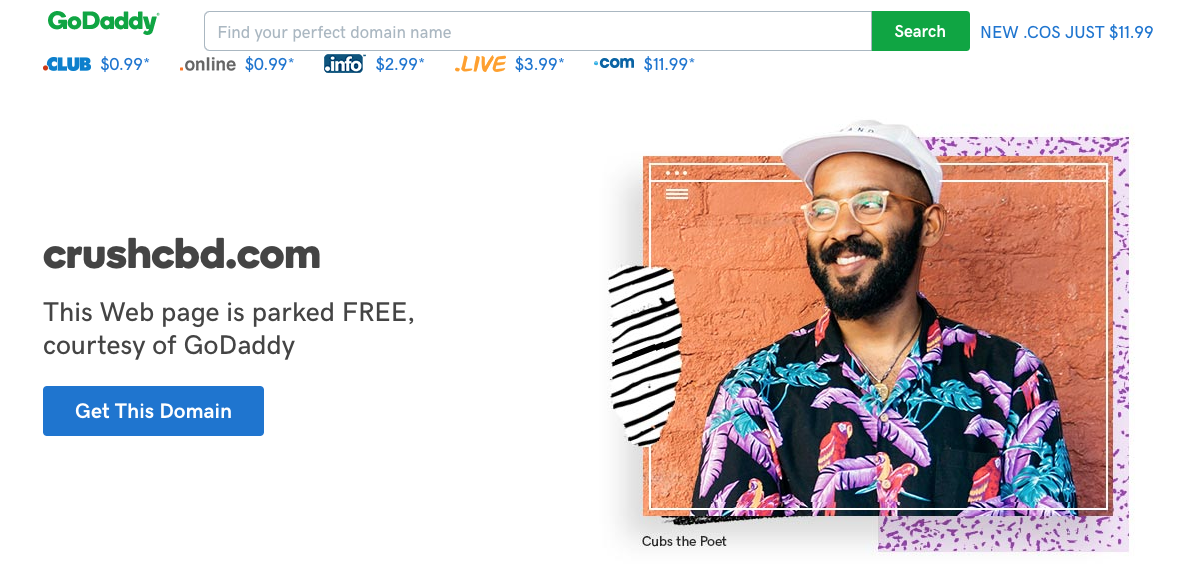
This is the default page that GoDaddy displays after a domain name is acquired through their auction house.
The “Get This Domain” CTA on all GoDaddy-parked domains is a way for GoDaddy to generate revenue on domain names for which they are a registrar and where the registrant hasn’t pointed the domain’s DNS elsewhere.
Users interested in a domain not in use can pay GoDaddy’s brokers to contact the domain owner for a fixed fee plus percentage of the final sale price (usually 10-20%) on behalf of the interested party.
In late January 2019 I received a call from a GoDaddy broker informing me that there was a party interested in acquiring my domain CrushCBD.com. I pushed for a dollar amount and was presented with an offer range of $5,000 – $10,000 which I declined.
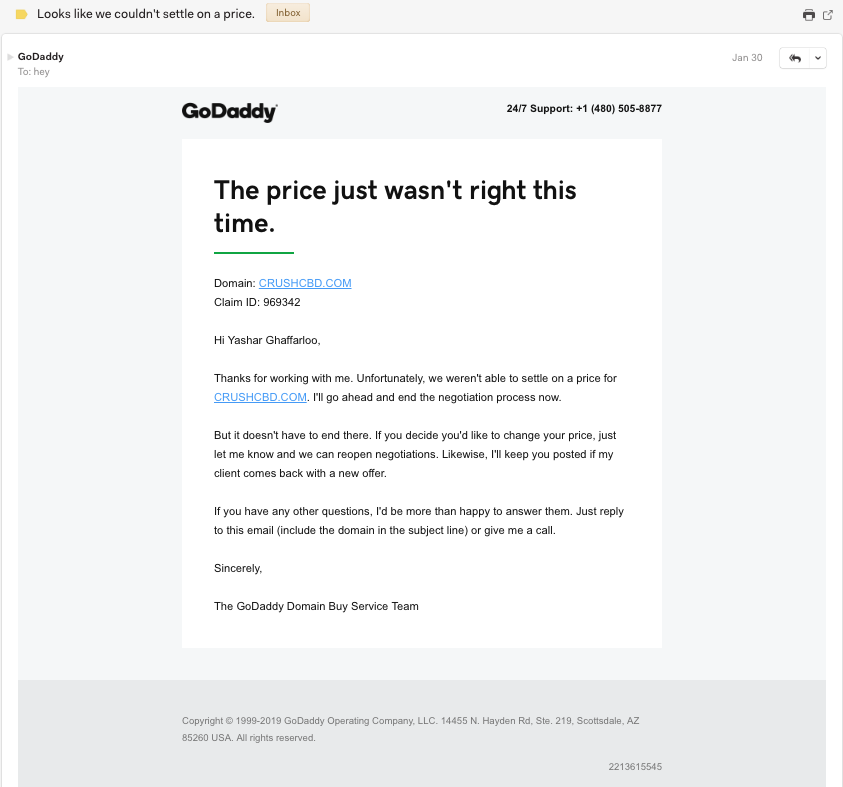
On January 30, 2019 I received an email from GoDaddy’s brokerage team confirming that negotiations had ended and that the thread was closed.
On July 28, 2019 I received a phone call from a party interested in acquiring the domain name. This individual presented an offer an order of magnitude stronger than the one I received through GoDaddy’s brokerage arm in January.
While I had no interest in selling the domain name at the time of acquisition – prepared to sit on it for a few years until the time came to do develop it – I’d be lying if I said the offer didn’t pique my interest. I told the potential buyer that I’d get back to them.
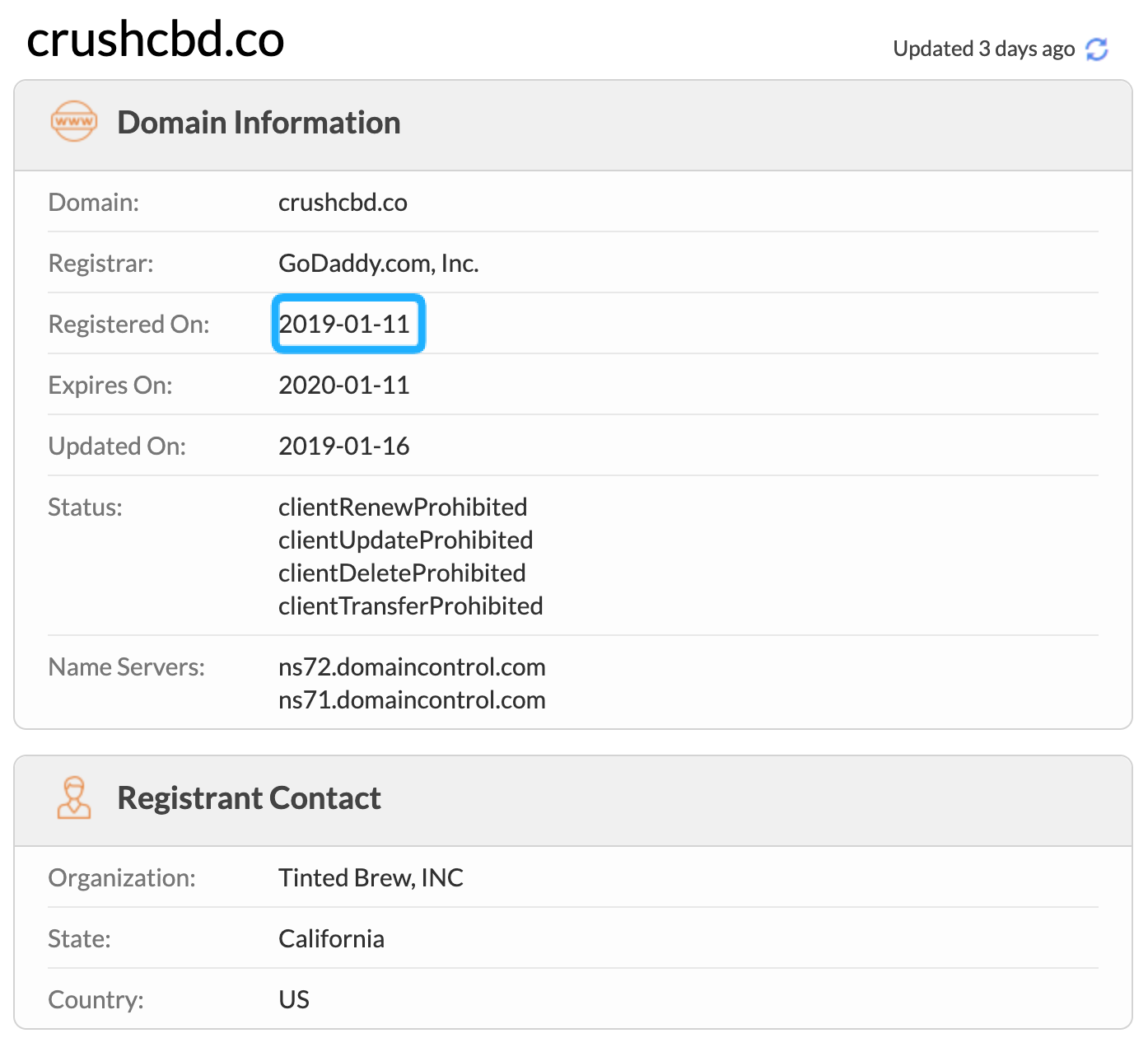
In doing so, I did research on the party who made the offer through GoDaddy in January and hypothesized that it was Tinted Brew, Inc.: the owner of the CrushCBD.co domain.
Why? The domain name CrushCBD.co was registered the same month that I received an offer for the CrushCBD.com domain.
Additionally, upon conducting a trademark search, Tinted Brew, Inc. (d/b/a Crush CBD) registered an intent to use trademark for Crush CBD in June of 2019 – meaning that they hadn’t deployed the trademark in use in commerce at that point.
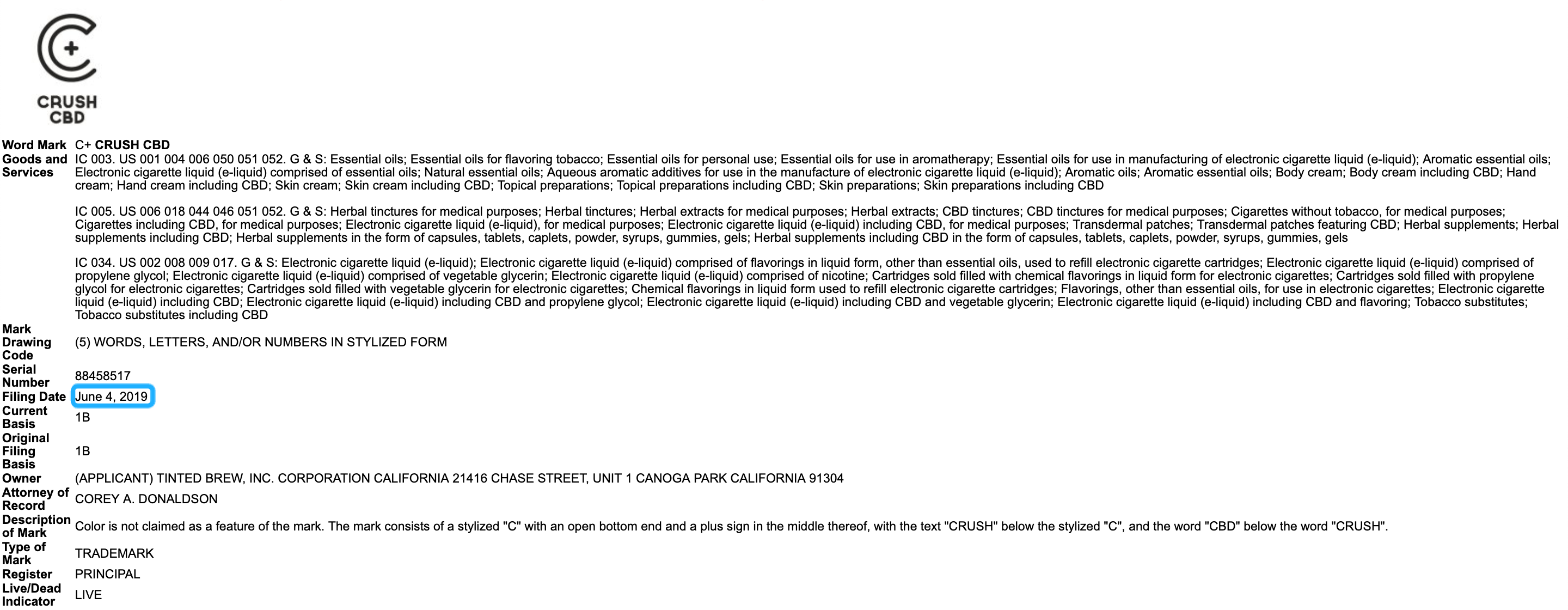
Still with me? Let’s recap the timeline:
- October 10, 2018: I acquire the domain name CrushCBD.com.
- January 11, 2019: Tinted Brew, Inc. registers domain name CrushCBD.co.
- January 30, 2019: I end negotiations for an offer in the $5,000 – $10,000 range GoDaddy’s brokerage service for the domain name CrushCBD.com.
- June 4, 2019: Tinted Brew, Inc. registers intent to use the “Crush CBD” trademark in commerce.
- July 28, 2019: I receive an offer of $20,000 for CrushCBD.com through a phone call.
- July 29, 2019: I reach out to Tinted Brew, Inc., asking if they are interested in making an offer higher than the one presented by the above mentioned party.
When calling, I reached a support agent who took down my name and number and said the owner would get back to me.
Later that day, Jonathan Nemr, the owner of Tinted Brew, Inc. gave me a call. I let him know that I had an offer for the domain and asked if they’d be interested in presenting an offer higher than the $20,000 one that I had received.
He said that they couldn’t afford that, closing with something along the lines of “we have a trademark for Crush CBD” – registering an intent to use in commerce does not mean that they were actually using the Crush CBD trademark in June – and “nobody else can use the domain name” – which is also false.
I told him that it wasn’t a problem and ended the call.
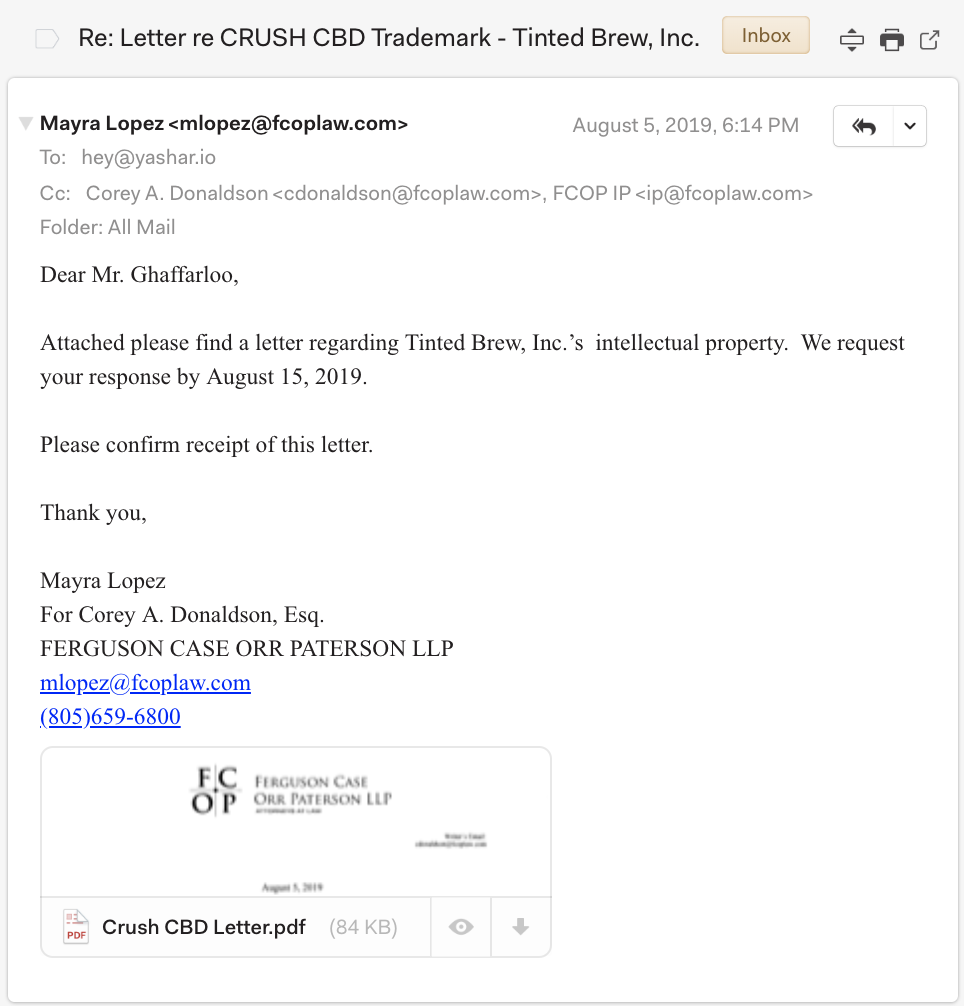
On August 5, 2019, I received the following email from Mayra Lopez of Ferguson Case Orr Paterson, LLP representing Tinted Brew, Inc.
(A letter in the mail arrived shortly after.)
The attachment “Crush CBD Letter.pdf” reads as follows.
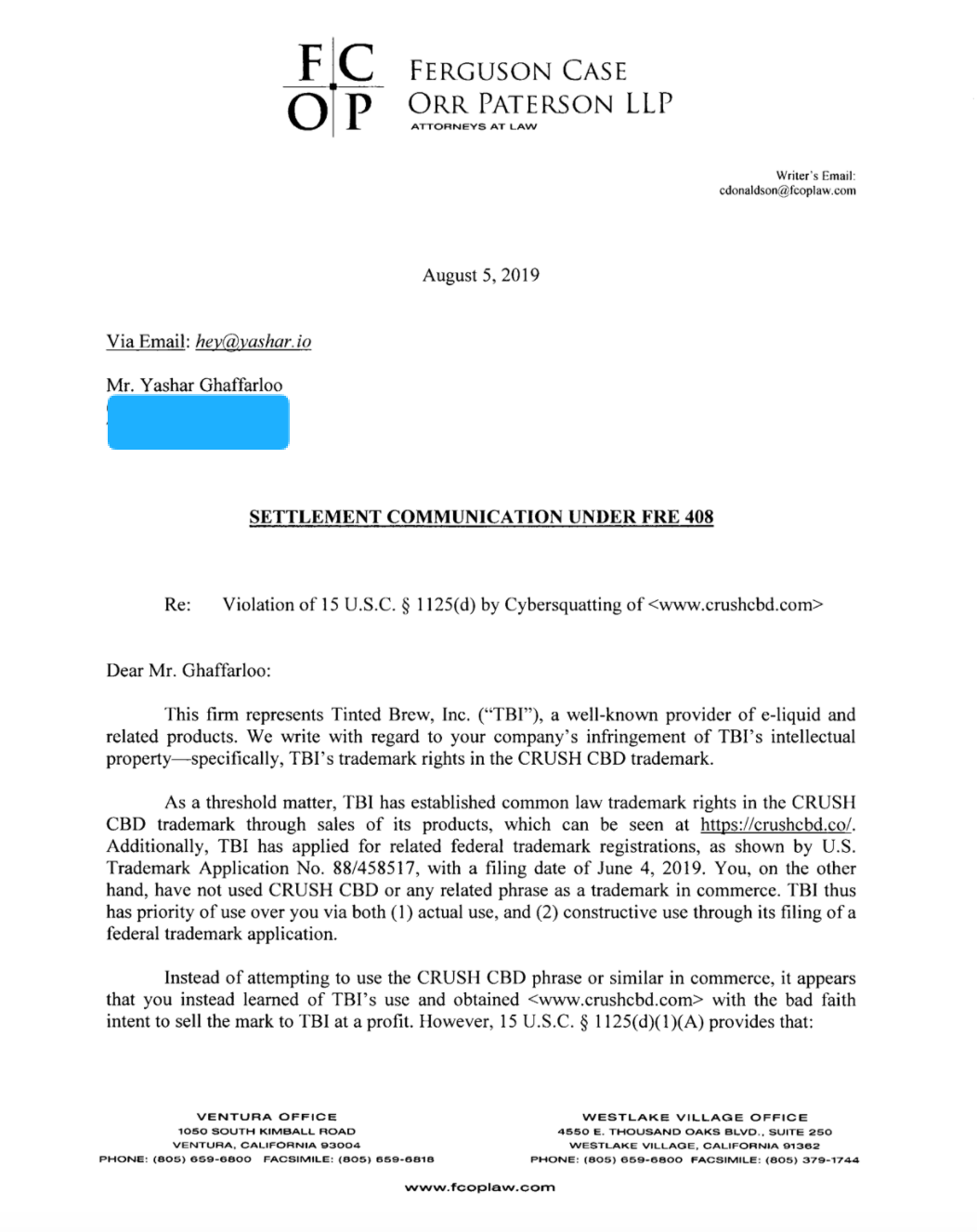
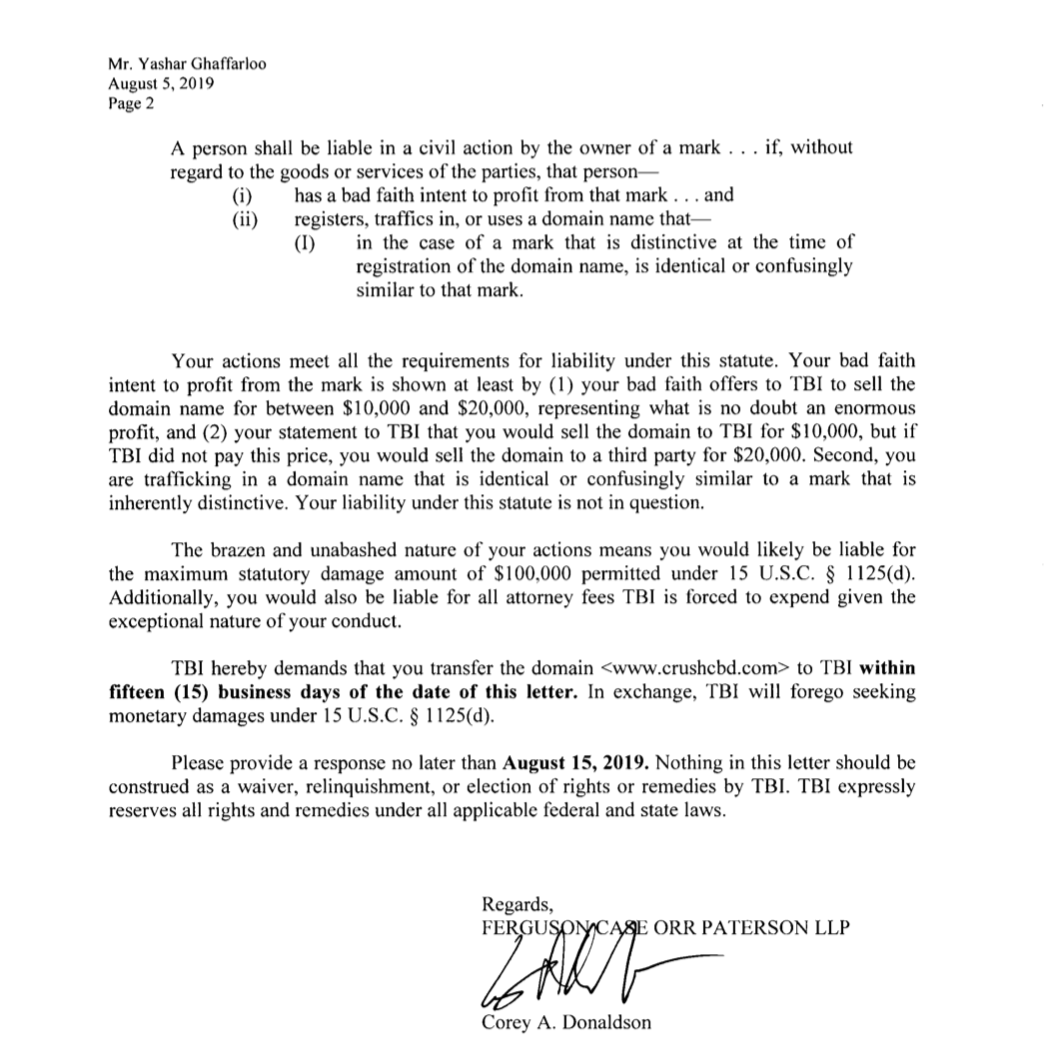
Let’s dissect this letter together.

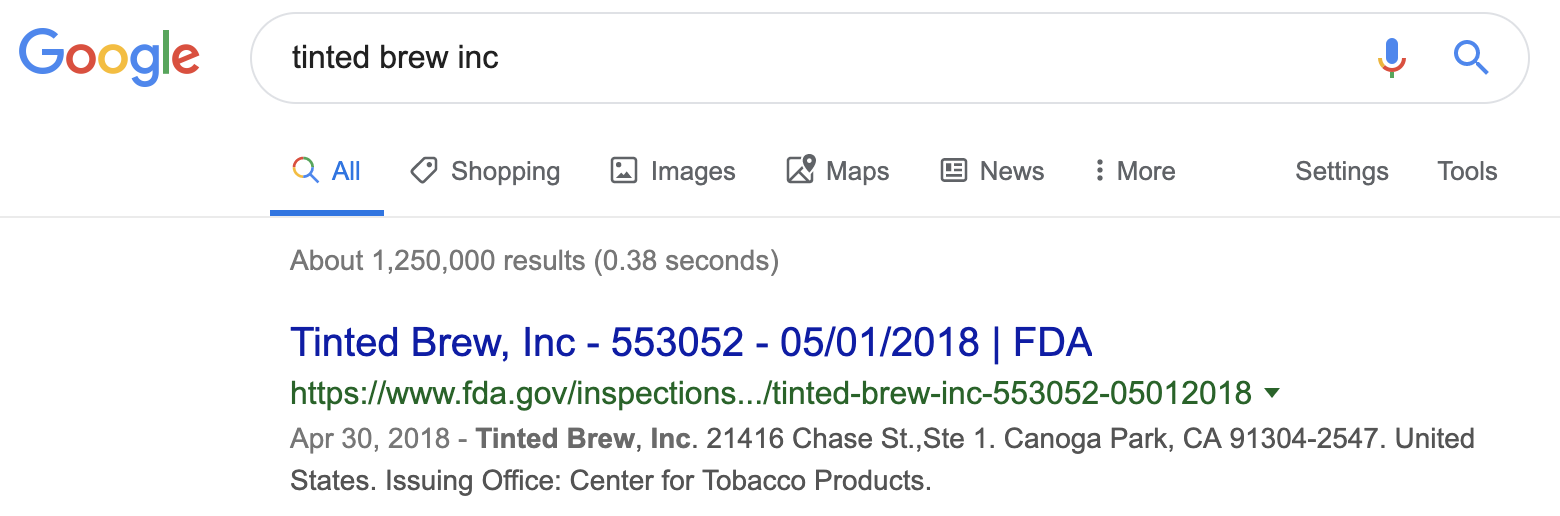
Tinted Brew, Inc. is a well known provider of e-liquid related products, but for all the wrong reasons. A quick Google search for the brand name uncovers a warning letter from the Center of Tobacco Products branch of the FDA.
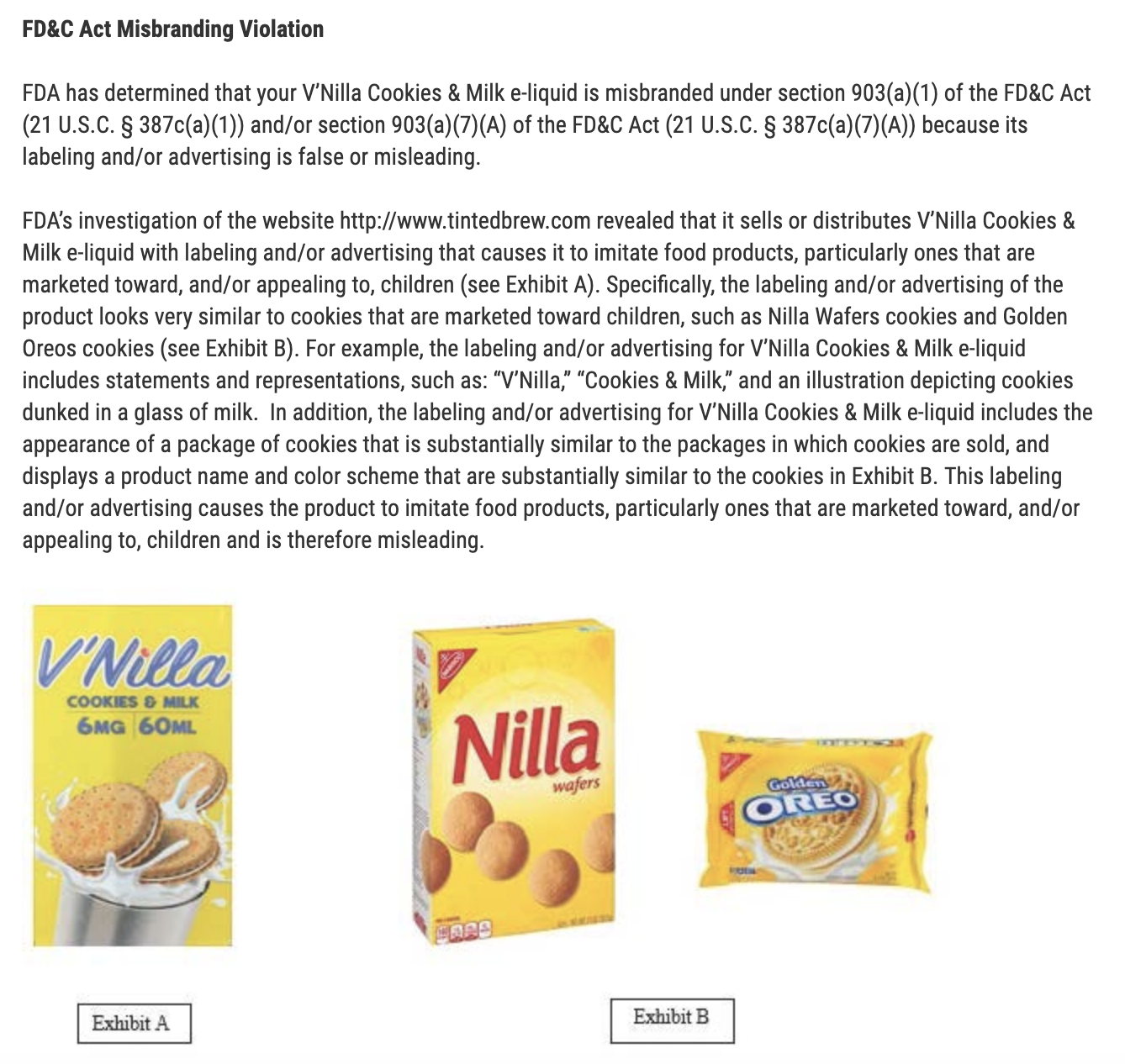
What’s more: they themselves have infringed upon the intellectual property of Intercontinental Great Brands LLC – a subsidiary of Kraft Foods – using their trademark in their line of vape oils without the holder’s permission.
Digging deeper into the letter, the irony is uncanny.
If we visit Tinted Brew, Inc.’s site, we see an empty storefront.
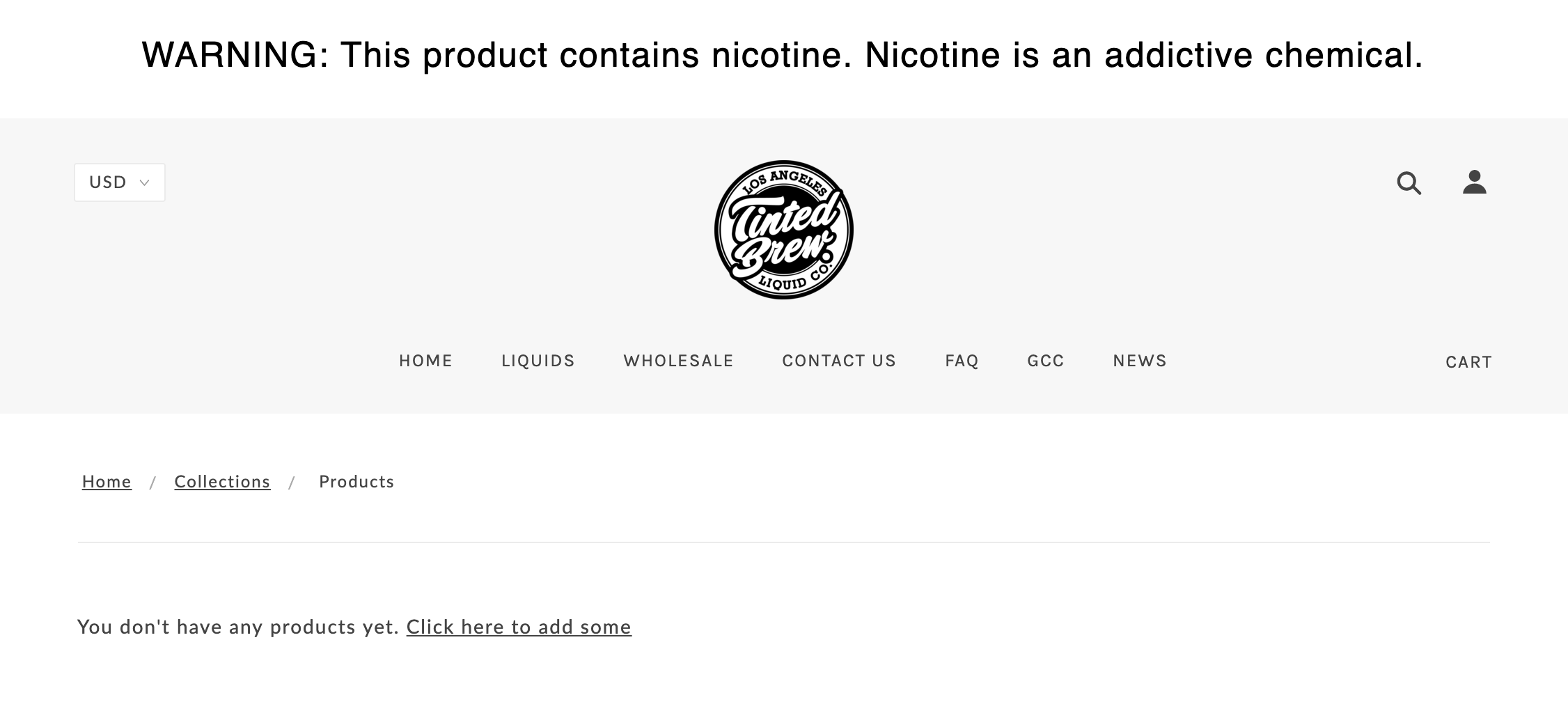
Well known my ass.
Moving on to the following snippet from the legal scare letter sent by Ferguson Case Orr Paterson, LLP, we see the following United States Code cited as the one I am allegedly in violation of.
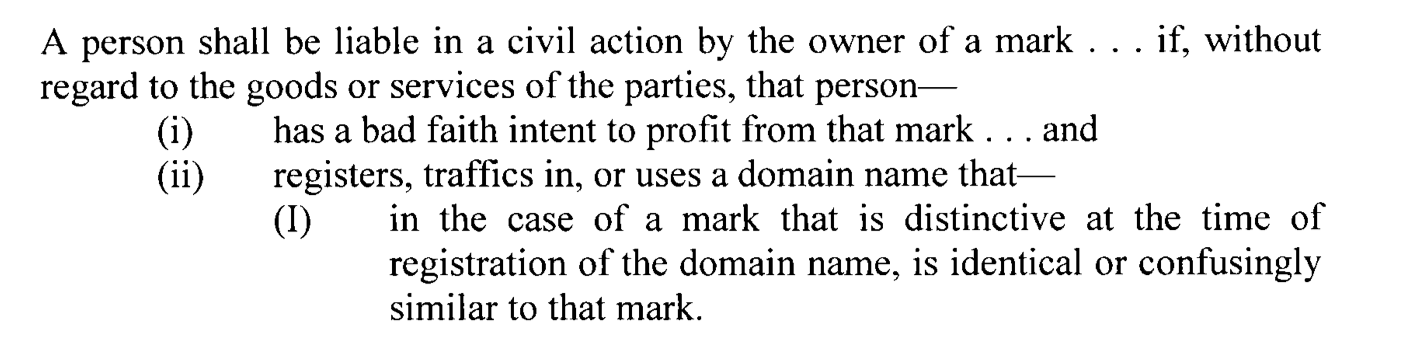
This is laughable, and shows negligence on behalf of the firm who dispatched the letter.
Let’s take a look at 15 U.S.C. § 1125(D) – the Code that I am allegedly in violation of – and see truly how the claims made in the letter couldn’t be further from the truth.
- “has a bad faith intent to profit from that mark”
- Bad faith would only be a valid complaint if the complainant’s trademark existed at the time the domain name was registered.
- The registration of their trademark was neither a valid trademark (only an intent to use in commerce) and postdated the date I acquired CrushCBD.com.
- Furthermore, I forewent profit by not monetizing the domain through a for-profit parking service like Bodis or Sedo.
- Even if I had decided to go down this route, this would be a valid use of the domain name. This goes to show the negligence of Ferguson Case Orr Paterson, LLP.
- Bad faith would only be a valid complaint if the complainant’s trademark existed at the time the domain name was registered.
- “in the case of a mark that is distinctive at the time of registration of the domain name”
- Tinted Brew, Inc.’s trademark was registered 8 months after I acquired the domain name CrushCBD.com.
- My use of the CrushCBD.com domain name never infringed upon any of Tinted Brew, Inc.’s intellectual property.
For my registration to be in violation of 15 U.S.C. § 1125(D), both of the points above must be true. Neither are.
Moving on to the following:
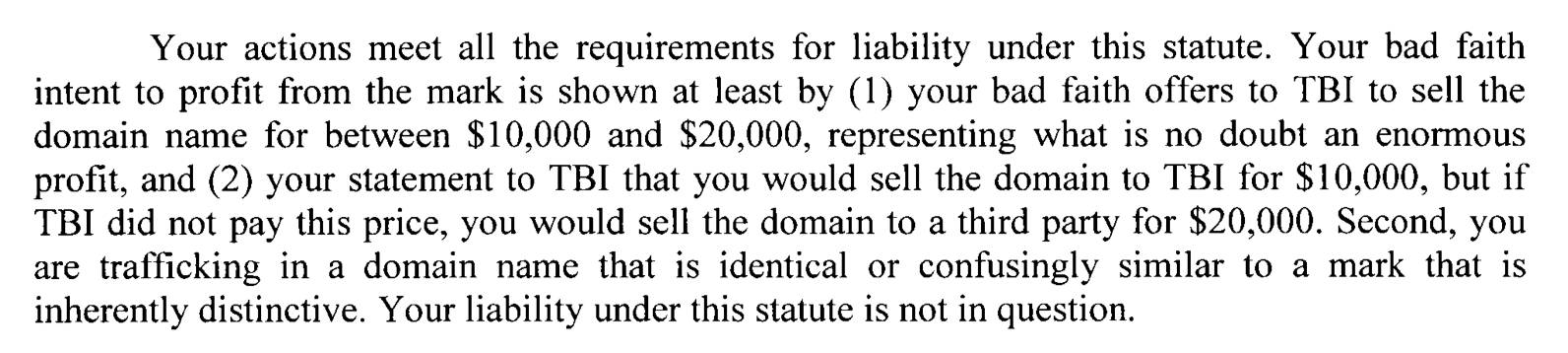
This couldn’t be further from the truth. If I had wanted $10,000 for the domain name, I would have accepted the offer made through GoDaddy’s brokerage arm in January. Furthermore, during the call made to Tinted Brew, Inc. on July 29, never did I express interest in letting them acquire the domain name for $10,000 – only reaching out to see if they had an offer higher than the $20,000 offer I had received earlier that month.
And, finally, the letter closes with the following.
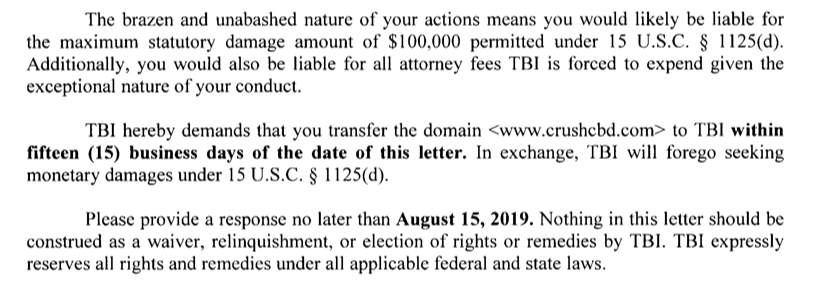
“You’re in violation of all of these laws – but wait! If you give us the domain name for free, we’ll let you off the hook.”
Cute.
Now, the author of the email – Mayra Lopez – seems to be a paralegal and not the individual who drafted the letter.
In her email, she cites that the letter was sent “For Corey A. Donaldson, Esq.” and that is the partner whose signature appears on the letter.
Let’s take a look at Corey A. Donaldson’s profile on the firm’s website.
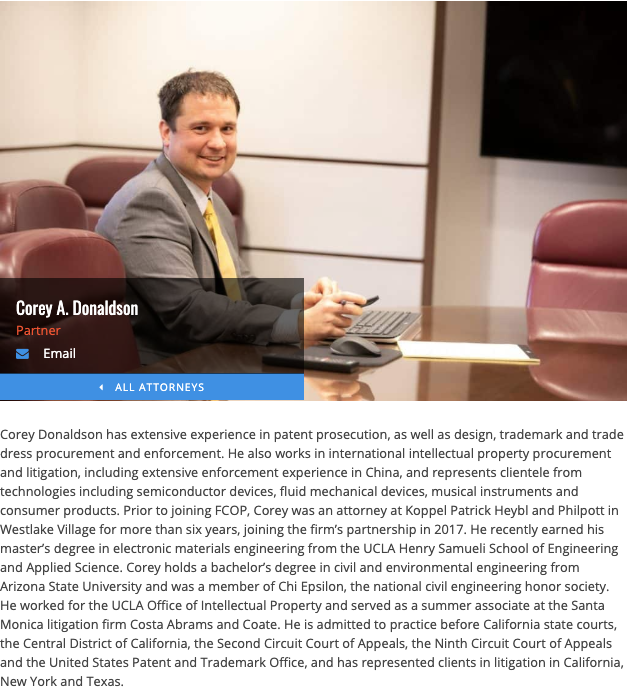
As a partner, his expertise seems to lie in the protection of his clients’ intellectual property. The letter claimed that I was in violation of 15 U.S.C. § 1125(D). As we explored earlier, this is a baseless claim and shows that the Donaldson did not bother to do any research before making his claims.
There’s no room for interpretation on this one: it’s so black and white that it’s hard to believe that Donaldson did not knowingly send the letter in bad faith, knowing that what was contained in the letter was untrue.
I’ll let you draw your own conclusions on the integrity of the firm, Donaldson’s ethics, and the depth of his expertise in IP law.
The process that a party who believes that their intellectual property is being infringed upon must go through is ICANN’s Uniform Domain-Name Dispute-Resolution Policy (UDRP.)
ICANN panelists then decide whether or not to transfer the domain name to the complainant based on the evidence presented in the complaint.
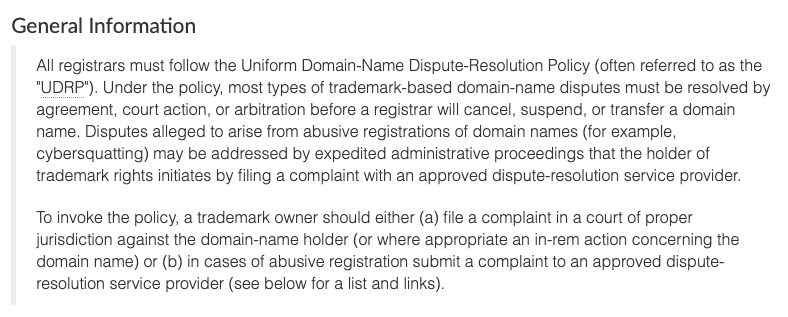
Now, for a UDRP case to be valid, there has to be evidence showing infringement of the complainant’s intellectual property.
In the event of a UDRP being filed, the firm would be in violation of reverse domain name hijacking (RDNH.)
Reverse domain name hijacking is when a party wants a domain name, but doesn’t want to pay for it. Said party retroactively files a trademark – postdating the registration of the domain name in question – and files a UDRP in bad faith in an attempt to steal the domain.
We saw in the USC cited above that a case where a registrant acquires a domain name before the trademark is registered, the UDRP case for cybersquatting is not valid.
Let’s take a look at the definition from RDNH.com:
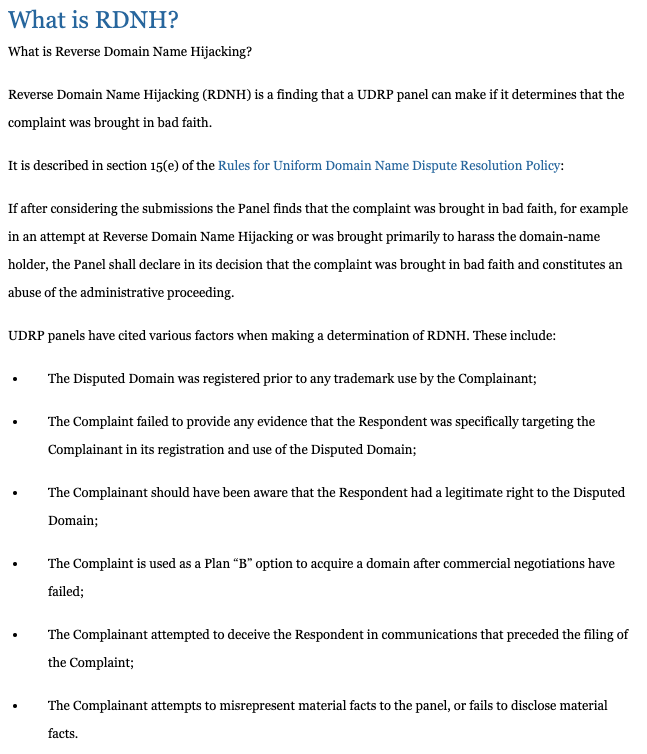
This false complaint letter sent by Corey A. Donaldson of Ferguson Case Orr Paterson on behalf of Jonathan Nemr of Tinted Brew, Inc. – if filed for review by ICANN panelists – would be a textbook definition of RDNH.
Let’s explore further.
- The Disputed Domain was registered prior to any trademark use by the Complainant;
- Both the domain registration date and my acquisition date predated Tinted Brew, Inc.’s registration of CrushCBD.co and their registration of the trademark “Crush CBD.”
- The Complaint failed to provide any evidence that the Respondent was specifically targeting the Complainant in its registration and use of the Disputed Domain;
- No evidence was presented, and none exists.
- Rather than provide evidence, the firm representing Nemr attempted me to turning over the domain name for free by falsesly claiming that I was in violation of USC.
- The Complaint is used as a Plan “B” option to acquire a domain after commercial negotiations have failed;
- A party – almost certainly Tinted Brew, Inc. – reached out through GoDaddy’s brokerage service the same month that CrushCBD.co was registered by Tinted Brew, Inc. and made an offer in the $5,000 – $10,000 range for the domain which I declined.
- While GoDaddy didn’t identify the party making the offer – as they don’t want us to skip using their brokerage service and collecting their commission – you can draw your own conclusions with the information and timeline presented above on whether or not the inquiring party was Tinted Brew, Inc.
- Jonathan Nemr expressed interest in acquiring the domain in my phone call until he didn’t like the price tag. A legal scare letter was his Plan “B.”
- The Complainant attempted to deceive the Respondent in communications that preceded the filing of the Complaint;
- The firm that Jonathan Nemr hired attempted to blackmail me into surrendering the domain name.
- The firm did so by falsely claiming that I was in violation of 15 U.S.C. § 1125(D).
- The firm that Jonathan Nemr hired attempted to blackmail me into surrendering the domain name.
- The Complainant attempts to misrepresent material facts to the panel, or fails to disclose material facts.
- Tinted Brew, Inc. is yet to file a UDRP for review by a panel, as the processing costs start at $1,500 plus legal fees.
I have invited them to file a UDRP, though I don’t expect to be receiving one because Ferguson Case Orr Paterson, LLP has no case – and they know it.
This is not the first time they’ve made false claims against a domain registrant.
Let’s take a look at this WIPO Arbitration and Mediation Center complaint from 2006 where the panelists concluded that they were reverse domain name hijackers and denied their domain transfer request.

The claims that the firm made in its 2006 filing – where it was labeled a reverse domain name hijacker – are shockingly similar to those made against my registration.
This firm clearly knows how to file a UDRP and has gone through the process before (and lost.)
If they truly believed that my registration of the domain name CrushCBD.com was invalid, they wouldn’t “kindly ask me” to transfer the domain name to them. They would file a UDRP.
They didn’t because they have no case. Instead, they skipped the proper grounds to file such a complaint and attempted to blackmail me into transferring the domain name to them free of charge under false pretenses.
Why am I writing this post? Domain owners often fall victim to reverse domain name hijacking, losing their assets in fear of being litigated against. I’ve seen too many cases of registrants being bullied into transferring the domain names for which they have a valid use case for to complainants – like Tinted Brew, Inc. – only later to realize that they were not in violation of what the letter claimed.
For the unexperienced domain owner, receiving a legal scare letter can be frightening and make the option of transferring their assets to a company making a baseless claim the easiest option to avoid litigation. Often times it’s just a cheapskate trying to slip one past you and get you to transfer the domain name to them for free.
Reverse domain name hijacking is a real issue – so much so that sites like HallOfShame.com exist to name and shame complainants and their law firms who file invalid UDRPs against registrants.
If you receive a letter like the one above, don’t be so quick to comply, and dig into the claims made and the laws you are supposedly in violation of.
Stay safe out there, brothers, and protect your domains.